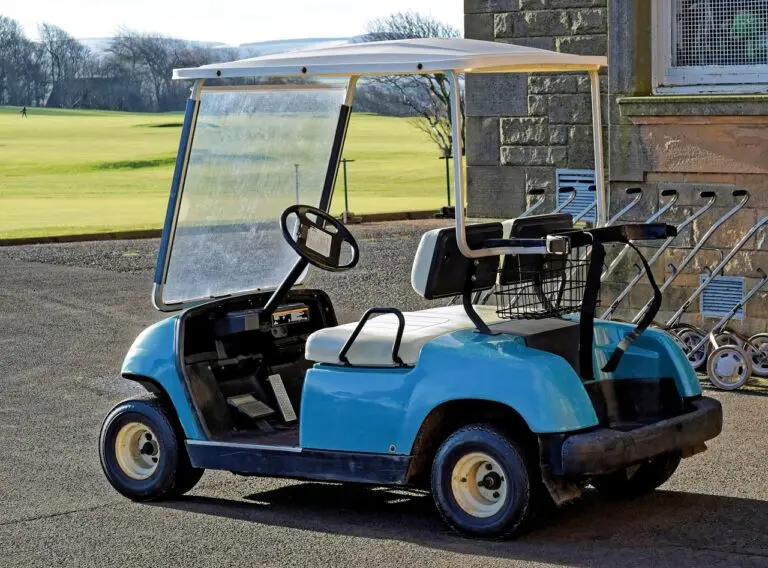

If your golf cart only goes in reverse, the problem is almost always in the forward side of the forward/reverse (F/R) switch or its wiring, not the batteries or motor. The cart moves, so power is reaching the motor. Something is blocking the forward signal, and you can usually track it down with a multimeter and about an hour of careful checks.
Why does my golf cart only go in reverse?
A cart that runs in reverse has working batteries, a working motor and most of a working drive system. Only one path is failing: the forward side of the direction circuit. That narrows the search a lot.
Here are the likely causes, from most to least likely:
- Worn or dirty forward contacts in the F/R switch.
- A loose, corroded or swapped wire at the F/R switch.
- A failed F/R microswitch or neutral lockout switch.
- A bad forward solenoid or contactor, on carts that have one.
- A fault in the controller’s forward input.
- A selector linkage or cam that doesn’t reach full travel in forward.
The rule is simple. If one direction works, test the F/R switch first, not the batteries.
What do you need to check before testing anything?
Make the cart safe before you touch any wiring. Golf cart systems carry enough current to burn you, and an unplanned pedal press can make the cart move.
- Park on level ground and set the parking brake.
- Remove the key.
- Put the Run/Tow switch in TOW or Maintenance. The E-Z-GO TXT owner’s manual says to do this before you connect or disconnect batteries or other wiring.
- After you reconnect anything, wait at least 30 seconds before you switch back to RUN. That same E-Z-GO manual gives this rule.
The Run/Tow switch matters beyond testing, too. The E-Z-GO TXT manual warns that towing without moving it to Tow/Maintenance/Storage will damage the controller or motor.
Tools you’ll need:
- A multimeter that can read continuity or ohms
- A wire brush or electrical contact cleaner
- A socket set
- Masking tape and a marker for labeling wires
- The service manual for your cart’s make, model and year
Think back on recent work. If the problem started after a battery swap, wiring job or new switch, suspect a crossed or loose cable first. That is a very common cause of this exact symptom.
How do you test the forward/reverse switch?
A bad F/R switch shows up as no continuity or high resistance in forward, while reverse reads fine. Visible burn marks, pitted contacts or a lever that feels loose are also strong signs. Here’s how to check it.
Visual check of contacts and wiring
- Confirm the key is out and the Run/Tow switch is in TOW.
- Remove the switch cover or access panel. On an E-Z-GO TXT, the owner’s manual places the F/R switch on the dash panel.
- Look for burned, blackened or pitted contacts.
- Check each wire lug for looseness, green or white corrosion, or melted insulation.
- Label every wire with tape before you disconnect anything.
- Take a photo of the wiring as a backup.
Continuity test in forward, neutral and reverse
- Set the multimeter to continuity (the beep setting) or the lowest ohms range.
- Find the forward and reverse test terminals in your service manual.
- Move the lever to F and probe the forward terminals.
- Move the lever to N and probe the same terminals.
- Move the lever to R and probe the reverse terminals.
- Compare the forward reading with the reverse reading.
Decision rule: Forward should show continuity just like reverse does. If forward shows no continuity, or resistance well above what reverse shows, the contacts or the switch are bad.
Manuals define pass and fail for specific terminals. For example, the Club Car XRT service manual’s rocker switch test says the switch should show continuity in FORWARD and no continuity in NEUTRAL or REVERSE at its test points. If the readings are wrong, the manual says to replace the switch. Test points vary by model, so use the ones in your own manual.
Clean or replace?
You can clean a forward/reverse switch instead of replacing it, but only if the contacts are just dirty or lightly tarnished. Use contact cleaner or a light wire brush, then retest. If forward now reads like reverse, you’ve found the fault.
Cleaning often works only for a while. If the contacts are pitted, burned or worn thin, replace the switch. That’s the lasting fix.
Could the wires at the F/R switch be swapped or loose?
Yes, and this is the top suspect after any repair. A crossed cable can make the cart go backward when set to forward, or stop forward from working at all. If your cart goes backward in forward, start here.
- Find the wiring diagram for your cart’s model and year.
- Compare each wire at the F/R switch to the diagram, one at a time.
- Move any wire that’s on the wrong terminal.
- Clean any corroded lugs or terminals.
- Tighten every lug snugly.
- Wait at least 30 seconds before switching back to RUN, then test.
Warning: Don’t swap motor wires just to “make it go forward” without the wiring diagram. On some systems, this can damage the controller or motor. Fix the wiring to match the diagram instead.
Is the microswitch or neutral lockout switch the problem?
It can be. Many F/R assemblies use small microswitches to tell the controller that a direction has been selected. If the forward microswitch fails, the controller never gets the forward signal.
Some carts also use a neutral lockout switch. The Club Car XRT manual says the cam lobe on the F/R assembly should press the neutral lockout limit switch as the F/R switch moves.
How to check it:
- Move the lever slowly into forward and watch the cam lobe.
- Confirm the lobe fully presses the switch plunger.
- Listen for a click as the plunger goes down.
- Probe the switch terminals for continuity with the plunger pressed and released.
- Repeat in reverse and compare.
Fix: If the plunger isn’t fully pressed, adjust the switch position or the linkage so the lever reaches full travel. If the plunger is pressed but the reading doesn’t change, replace the microswitch.
How do you check the forward solenoid or controller?
A bad solenoid can make a golf cart go only in reverse, but only on carts that use separate direction contactors. On newer controller-based carts, the controller handles direction, and a fault in its forward input can also make the cart work in one direction only.
Listen for the click
- Lift the rear wheels off the ground or make sure the cart has clear space ahead.
- Switch to RUN and insert the key.
- Select reverse and press the pedal lightly. Listen for a click.
- Select forward and press the pedal lightly. Listen again.
If reverse clicks and forward doesn’t, the forward coil, its wiring or the signal reaching it is the problem. Go back to the F/R switch and microswitch tests if you skipped them, since a missing input signal looks the same as a dead coil.
Why won’t my Club Car Precedent go forward but goes in reverse?
On a Precedent, start with the same order: F/R switch, wiring, then the switch inputs to the controller. The Precedent service manual’s operation checks give a quick baseline. The reverse buzzer should sound when the selector is in reverse, and the cart should not run with the switch in neutral.
If the buzzer sounds in reverse and neutral correctly stops the cart, the controller is reading reverse and neutral. That points the search at the forward input specifically.
When the controller is the likely cause
If the switch, wiring and microswitch all pass, the controller’s forward input is the most likely cause. Read the fault codes with the manufacturer’s diagnostic tool, or have a dealer do it. Don’t replace a controller on a guess.
Repair or replace: which fix makes sense?
Use your test results to pick the fix. Buy parts by your cart’s make, model and serial number or year, because switches and wiring differ between models.
| Symptom or test result | Likely cause | Fix | DIY difficulty |
|---|---|---|---|
| Forward reads weak or erratic; contacts look dull or dirty | Dirty F/R contacts | Clean with contact cleaner and retest | Easy |
| No continuity in forward; contacts pitted or burned | Worn F/R switch | Replace the F/R switch | Moderate |
| Problem began after repair work; wire doesn’t match diagram | Loose or swapped wire | Rewire to the diagram and tighten lugs | Moderate |
| Cam lobe doesn’t fully press the plunger | Microswitch not pressed or linkage short of travel | Adjust switch or linkage; replace switch if it still fails | Moderate |
| Reverse clicks, forward doesn’t | Forward solenoid, its wiring or its input signal | Test coil wiring and input; replace solenoid if confirmed | Moderate to hard |
| All tests pass, forward still fails | Controller forward input | Read fault codes; dealer or technician diagnosis | Pro |
When should you call a golf cart technician?
Call a technician if any of these apply:
- Every test passes and forward still doesn’t work.
- You see burn marks, melted plastic or scorched wires.
- The controller shows fault codes.
- You can’t find or confirm the wiring diagram for your cart.
On newer carts, controller and speed-sensor diagnosis often needs the manufacturer’s dealer software. A shop with that tool can read the exact fault instead of swapping parts until something works.
If your cart won’t move in either direction, this guide isn’t the right starting point. Use our golf cart won’t move checklist instead, which starts with batteries, the key switch and the pedal.
Frequently Asked Questions
How do I know if my golf cart forward/reverse switch is bad?
A bad forward/reverse switch shows no continuity or high resistance in forward, while reverse reads fine on a multimeter. Other strong signs are burned, blackened or pitted contacts, corroded or loose wire lugs, and a lever that feels loose. If cleaning doesn’t bring the forward reading up to match reverse, replace the switch.
Can a bad solenoid make a golf cart go only in reverse?
Yes, but only on carts that use separate direction solenoids or contactors. If reverse clicks and forward doesn’t, the forward coil, its wiring or its input signal is at fault. Test the F/R switch and microswitch first, because a missing forward signal looks the same as a dead solenoid coil.
Can a golf cart controller cause it to work in only one direction?
Yes. On newer controller-based carts, the controller handles direction, so a fault in its forward input can leave only reverse working. Suspect the controller only after the F/R switch, wiring and microswitch all pass. Read the fault codes with the manufacturer’s diagnostic tool, or have a dealer do it, before replacing anything.
Why does my golf cart go backward when in forward?
A golf cart that goes backward in forward usually has crossed wires at the F/R switch, often after a battery swap or other wiring job. Compare each wire to your cart’s wiring diagram and move any that are on the wrong terminal. Don’t swap motor wires without the diagram, since that can damage the controller or motor.